GBTC: Publish your app with easeDiscover GoodBarber Takes Care and simplify the app publication process for both the App Store and Google Play. Let us handle the technical details for you.Learn more about GBTC
This feature allows a simple and optimal distribution of your content, by making your app's map appear on external platforms. Your content feed is automatically generated and updated: you just have to choose the platform on which you want to broadcast it and integrate the link available in your GoodBarber back office.
Thanks to RSS feeds, you will be able to develop new distribution strategies for the key locations of your app. Add your map to your own external sites to increase your visibility to existing users; or negotiate a presence on blogs, or sites related to your field, to conquer a new audience.
How to install the extension in your app back office?
For the Maps section of your app, two types of feeds can be generated, one in the traditional RSS format, and the other in the KML format, in the same way as the files generated on Google Maps.
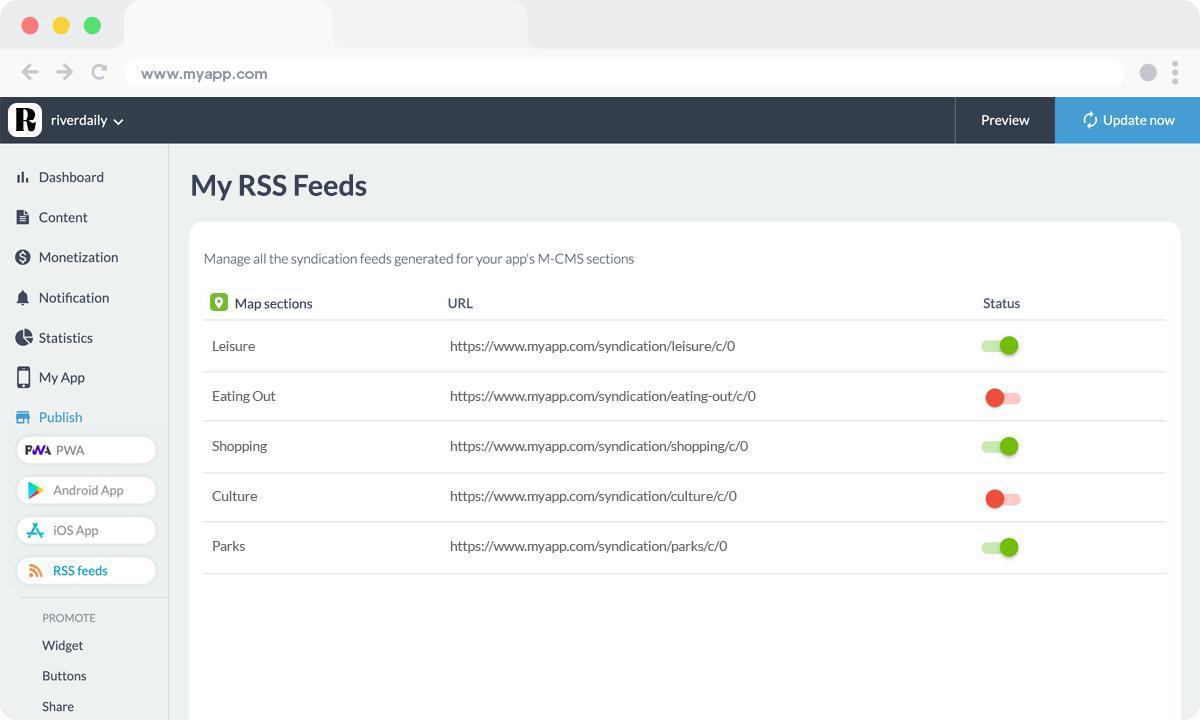
In your app back office, from the Extensions Store, search the RSS feed Map extension and click on "Install". This will automatically create a new menu "My RSS feeds". In this new menu, you will manage all the syndication feeds generated for your app's M-CMS sections. Select the maps you want to share on other platforms by switching the toggle of the status. You can now integrate your RSS feed Map into your own external platforms.
Five ways lead to a fitness app for your business, and each is priced its own way: a flat plan, an add-on to gym software, per client, per subscriber or quoted. The table below compares what each one costs and the job it is built for.
 eCommerce
 Memberships
 Chatbot
 Online Courses
 Bookings
 Travel guide
 Events
 Content Creators
 Pickup & Delivery
 Newspaper
 Radio
Radio Schools
 Faith
Faith Organizations
 Restaurant
 Grocery
 Custom apps
 Employee Communication

 NO CODE APP BUILDER
 TECHNOLOGY
 WHY GOODBARBER?
 Design
 PRODUCT RESOURCES
 TOPICS
 MOBILE APPS RESELLERS
 DISCOVER