GBTC: Publish your app with easeDiscover GoodBarber Takes Care and simplify the app publication process for both the App Store and Google Play. Let us handle the technical details for you.Learn more about GBTC
You may already be familiar with our Live+ add-on (advanced audio player). This add-on has been part of GoodBarber's catalog for a long time and has been updated regularly. You can find more info on this feature in this article.
The latest update for this feature is the Sleep Mode., allowing your listeners to set a timer to shut down the live.
How to activate it?
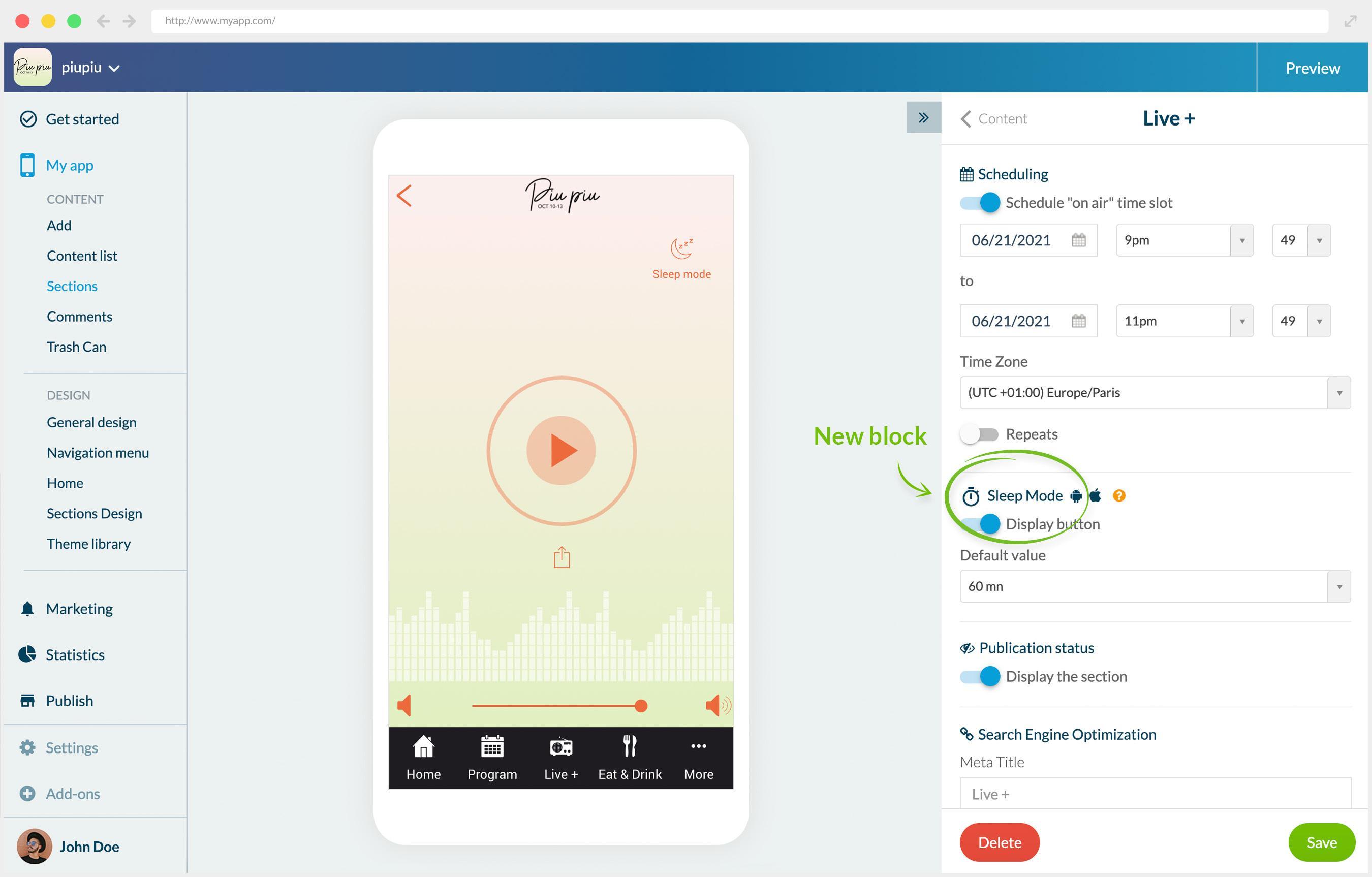
In your app back office. in the settings panel of the Live+ Section, you will now see a new bloc “Sleep mode” below the current block Scheduling. From there you can enable the feature and set a default value for the timer.
Please note that this feature is only available on your native apps.
How does it work on the user side?
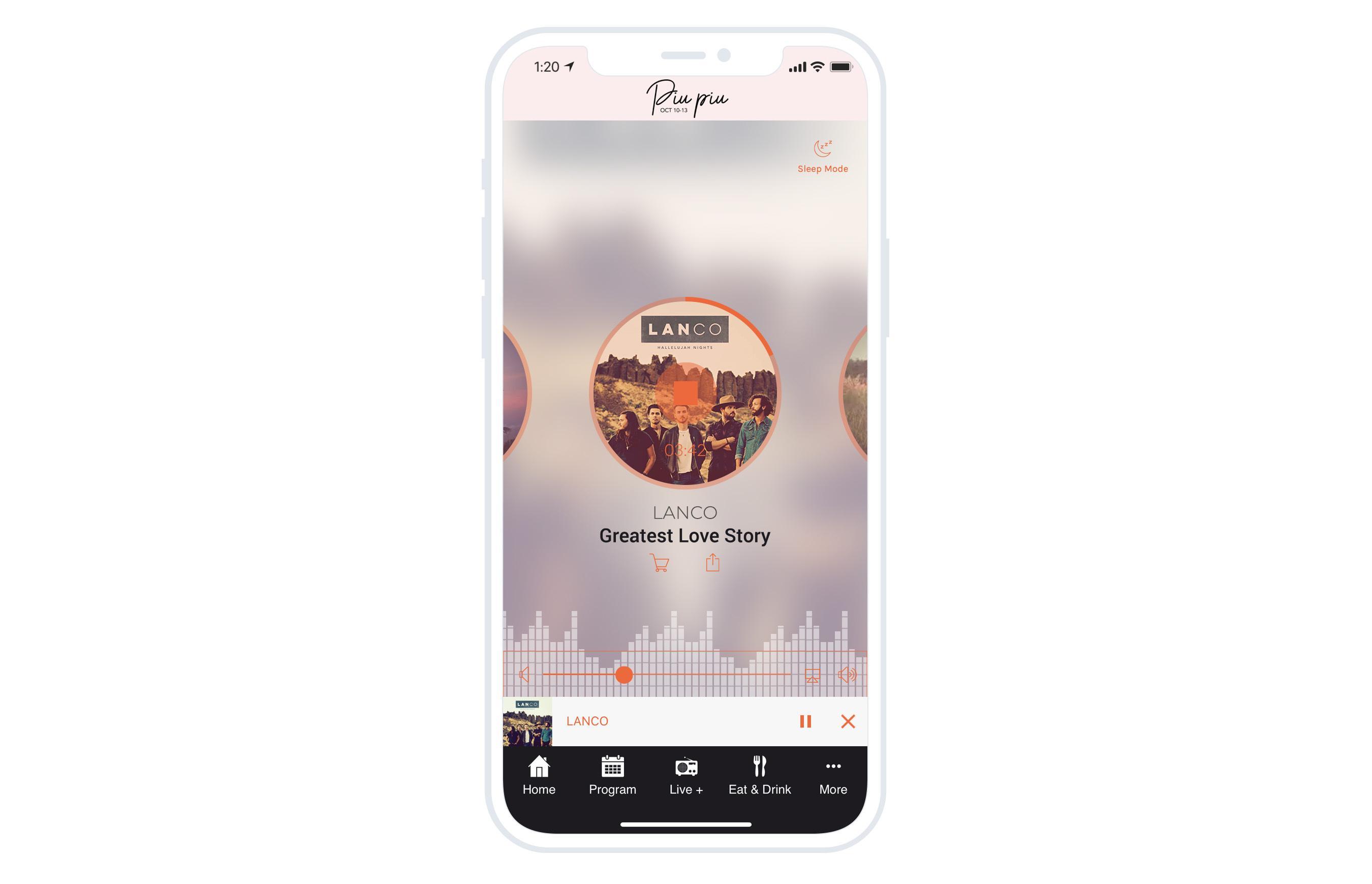
Once the option is activated, your listeners will see on the top right of the live+ section the Sleep Mode icon. The timer is open by clicking on this icon. Users will be able to see the remaining time under the icon. They can stop the timer by clicking on the icon again.
Five ways lead to a fitness app for your business, and each is priced its own way: a flat plan, an add-on to gym software, per client, per subscriber or quoted. The table below compares what each one costs and the job it is built for.
 eCommerce
 Memberships
 Chatbot
 Online Courses
 Bookings
 Travel guide
 Events
 Content Creators
 Pickup & Delivery
 Newspaper
 Radio
Radio Schools
 Faith
Faith Organizations
 Restaurant
 Grocery
 Custom apps
 Employee Communication

 NO CODE APP BUILDER
 TECHNOLOGY
 WHY GOODBARBER?
 Design
 PRODUCT RESOURCES
 TOPICS
 MOBILE APPS RESELLERS
 DISCOVER